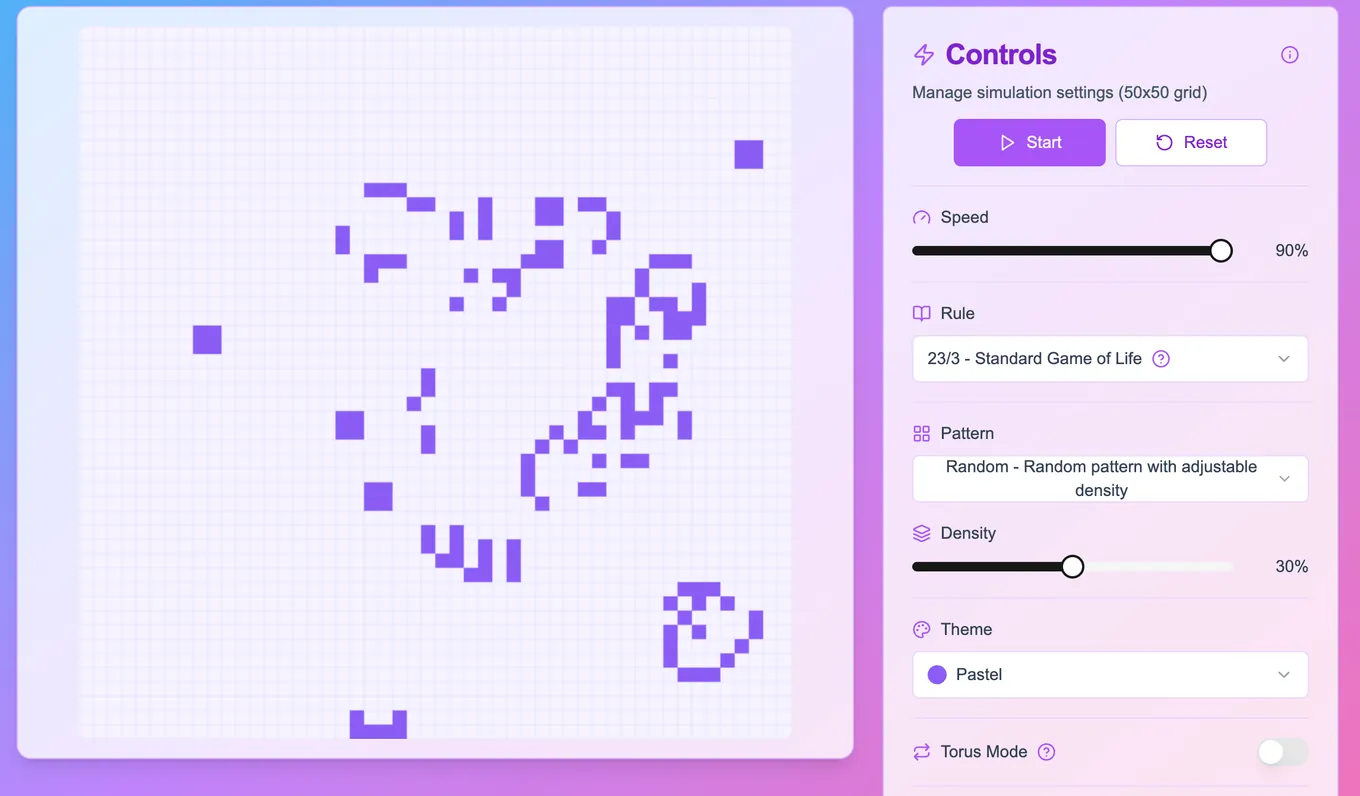
Overview
Game Of Life is an interactive browser-based implementation of John Conway's famous cellular automaton. This simulation demonstrates how complex behavior can emerge from simple rules applied across a two-dimensional grid. Users can activate or deactivate individual cells and watch how the system evolves in real time.
The application is lightweight, fast, and fully client-side, showcasing how fundamental principles of algorithmic logic can be visualized and explored interactively through a clean user interface.
What Is the Game of Life?
John Conway's Game of Life is a type of zero-player game: once the initial state is set, the simulation progresses without further input. It operates on a 2D grid of square cells, each of which is in one of two states: alive or dead. The game evolves in steps, or generations, and the next state of the grid is determined entirely by a simple set of rules based on the state of neighboring cells.
Rules:
- Any live cell with two or three live neighbors survives.
- Any dead cell with exactly three live neighbors becomes a live cell (birth).
- All other live cells die in the next generation (underpopulation or overpopulation).
- Dead cells with non-exactly three live neighbors remain dead.
This simplicity gives rise to a wide variety of emergent patterns including:
- Still lifes (do not change)
- Oscillators (repeat patterns over time)
- Spaceships (patterns that move across the grid)
The Game of Life has been studied extensively in the fields of mathematics, computer science, and artificial life due to its rich implications about emergence and computation.
Features
- Interactive cell toggling with mouse clicks
- Start/pause and clear simulation controls
- Adjustable simulation speed
- Clean and minimal visual interface
- Grid dynamically updates with smooth transitions
Tech Stack
Frontend
- Next.js (App Router) – React-based framework for fast, modern frontend development
- TypeScript – Static type checking for more robust and scalable code
- Tailwind CSS – Utility-first CSS framework for rapid UI styling
- v0.dev + Shadcn/UI – AI-generated UI layout refined with modern React components
Deployment
- GitHub Pages – Static deployment for a fast, zero-backend experience
How It Works
- The grid is initialized as a 2D array of 0s and 1s (dead and alive cells).
- A timer drives the generation cycle based on the selected speed.
- For each cell, its 8 neighbors are counted.
- A new grid is calculated using Conway’s rules and replaces the current state.
- The DOM updates reflect the new cell states, generating visual feedback.
- Users can reset the board, pause the evolution, or create new patterns.
The rendering logic is optimized for smooth transitions even with large grids, and state updates are managed via React hooks.